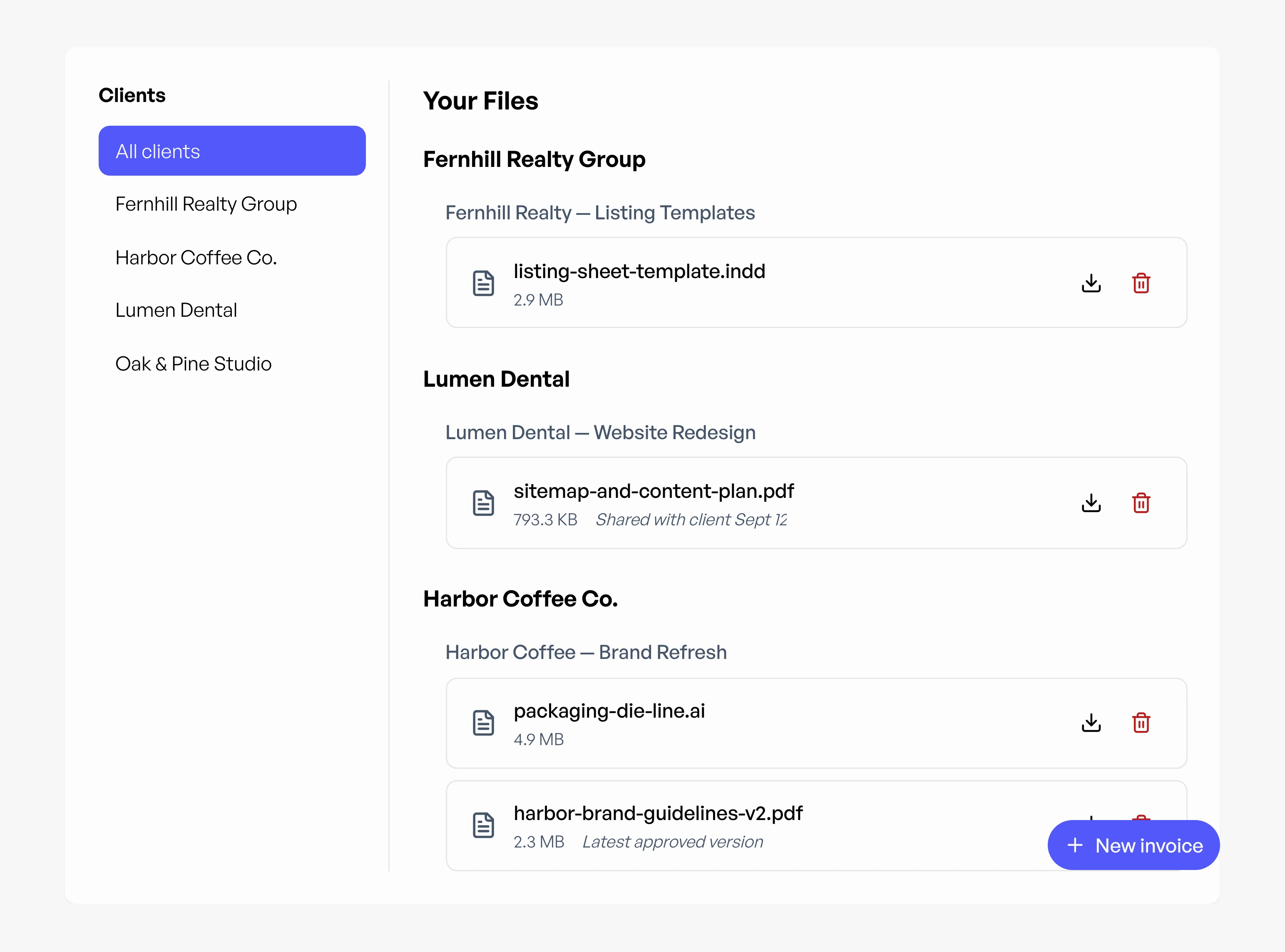
Keep client files with the client

Upload client files (max 5MB) with a short description, organized by client and project.

  • Files grouped by client & project
  • A short description on every upload
  • Briefs, contracts & deliverables together
Start free See pricing

Free plan, no credit card required.

Client file management for freelancers organized by project in Workey

Files / Work & projects

Start free

Client files where you need them

  • Grouped by client

    Client file management for freelancers that keeps uploads organized by client and project, with a short description on each file.

  • Any working file

    Upload contracts, specs, briefs, or deliverables up to 5MB. Select a project, describe the file, and download or delete anytime.

  • Next to the work

    Files live alongside your projects and time entries, so client work stays in one freelance workspace, not scattered folders.

Add a new file

Files up to 5MB are supported, contracts, briefs, specs, or deliverables.

  1. 1

    Select the project

    Pick the client project the file belongs to, so it's findable later.

  2. 2

    Add optional notes

    A line of context, what the file is, which version, what to remember.

  3. 3

    Choose File and upload

    The file lands under its client and project, ready to download anytime.

Files organized by client

Use the sidebar to filter by client, All clients or a specific client. Files are grouped by project under each client. Download or delete any file with one click.

Client files next to project work

  1. Client
  2. Files
  3. Project context

Store briefs and deliverables per Project alongside Contracts and time tracked on the same client, no scattered folders.

Questions about files

What file types can I upload?

You can upload any file type up to 5MB per file. Common formats like PDFs, images, documents, and spreadsheets are all supported. Choose a project first, add a short description, then select the file.

How are files organized?

Files are organized by client and project. Use the sidebar to filter by client (All clients or a specific client) and see files grouped under each project. This keeps contracts, briefs, and deliverables easy to find.

Can I describe each file?

Yes. When uploading a file, add a short description of what it is, the version, or context. It appears inline with each file for quick scanning. For longer write-ups, use Workey Notes.

What is the file size limit?

Each file can be up to 5MB, enough for briefs, contracts, specs, and most deliverables. Select a project, add a description, then upload.

Try Files on your own work

Use it alongside the rest of Workey on a free account.

Start free